Become a more confident communicator with Razmova. Practice speaking English, Spanish, or French with a private AI partner that runs entirely on your iPhone, iPad, or Mac. The AI downloads once (about 1.8 GB), then works offline forever: free, no account, no subscription.
Choose Your Partner
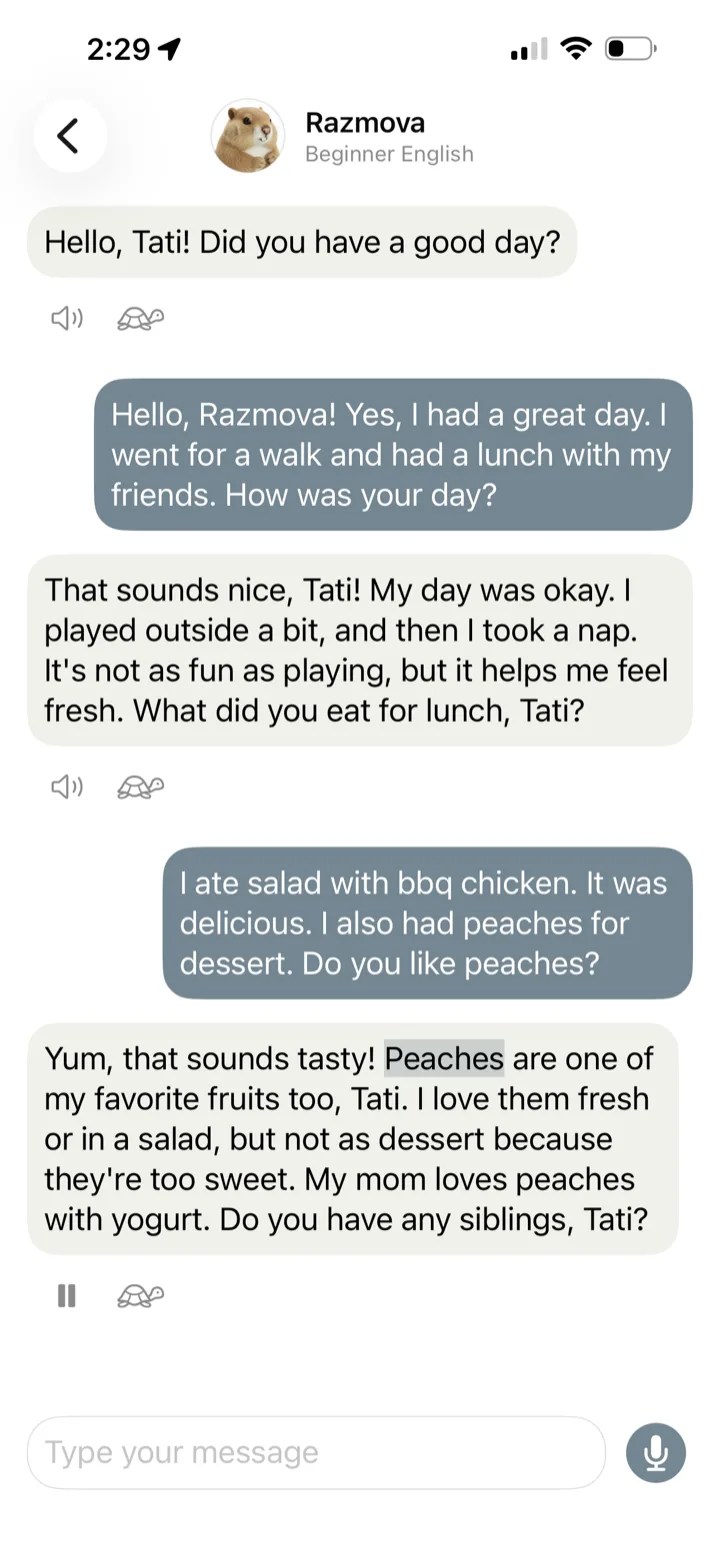
- Razmova (English), Sofía (Spanish), Romy (French): beginner (A1/A2). Short sentences, everyday words, a patient pace.
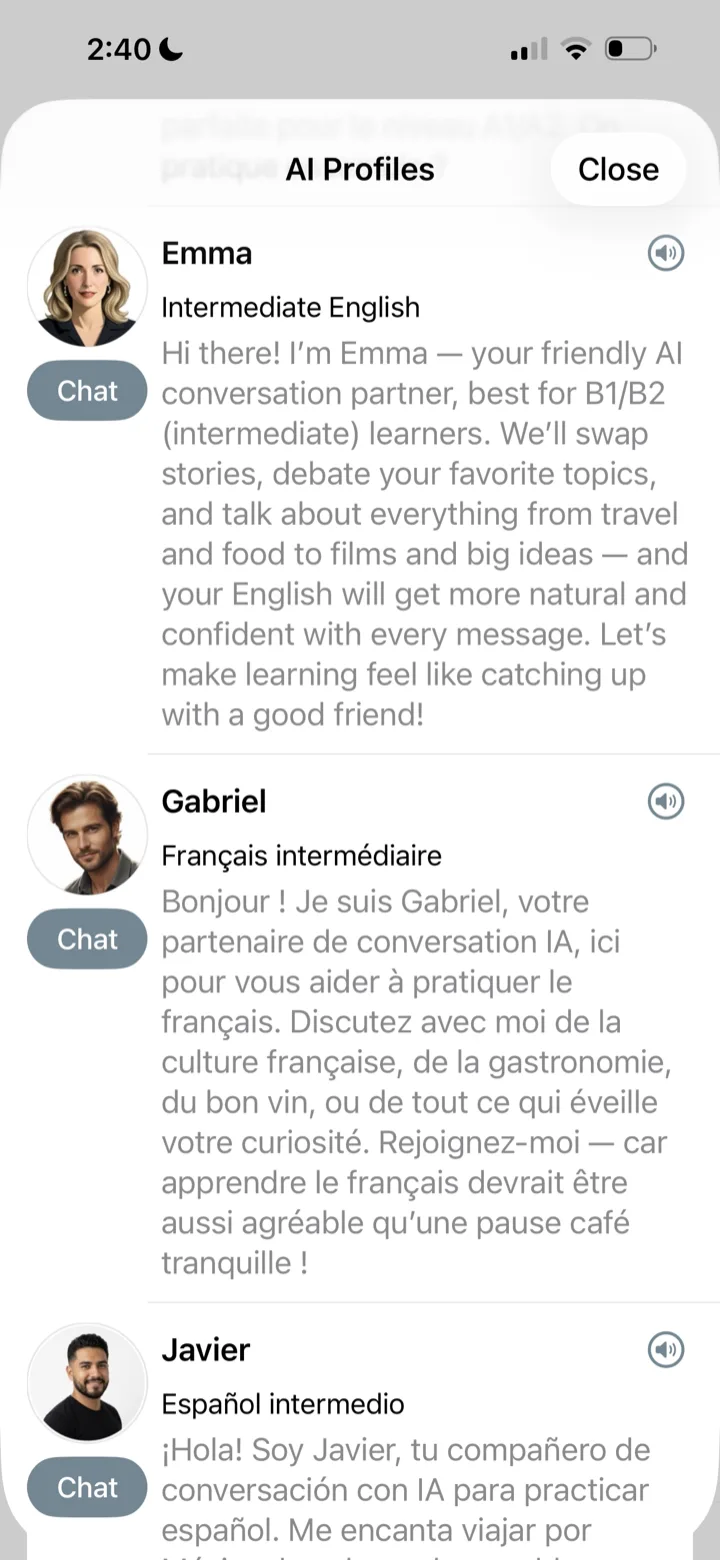
- Emma (English), Javier (Spanish), Gabriel (French): intermediate (B1/B2). Longer, natural conversations about travel, food, films, and culture.
- Juan Carlos: a friendly coach for confident communication. Prepare for a conversation you’re nervous about, make small talk easier, or talk a tricky situation through. Sessions are in English.
Speak and Listen
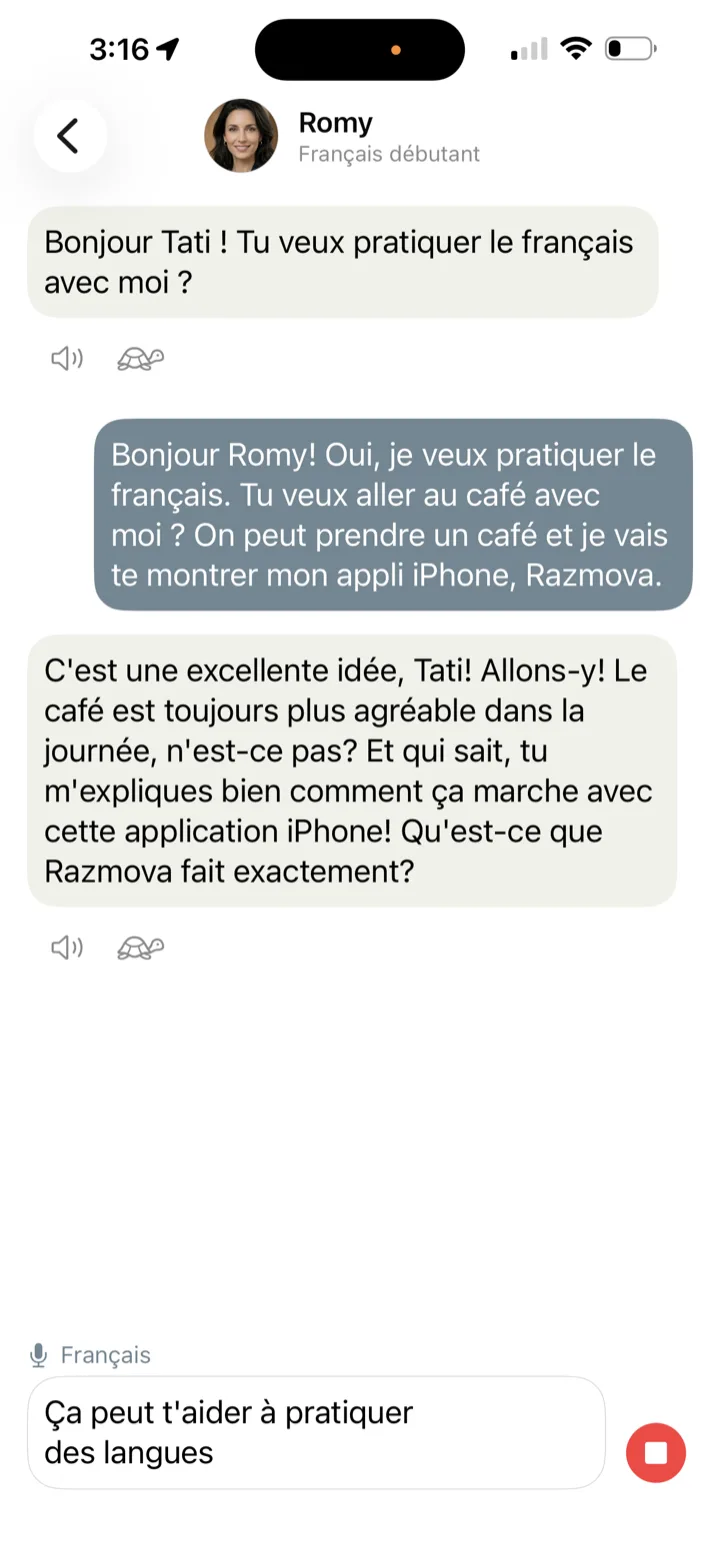
Tap the microphone and speak with any partner. Your words appear as text you can edit before sending. Tap the speaker to hear any reply read aloud, word by word, at normal speed or slowed down. Every partner speaks in a voice that suits them, using free iOS voices that also work offline.
Help When You’re Stuck
Razmova, Sofía and Romy, the partners for beginners, have a help button beside the message field. Tap it to add “I don’t understand” in the language you practice, see how to ask what a word means, or translate the latest reply into your language.
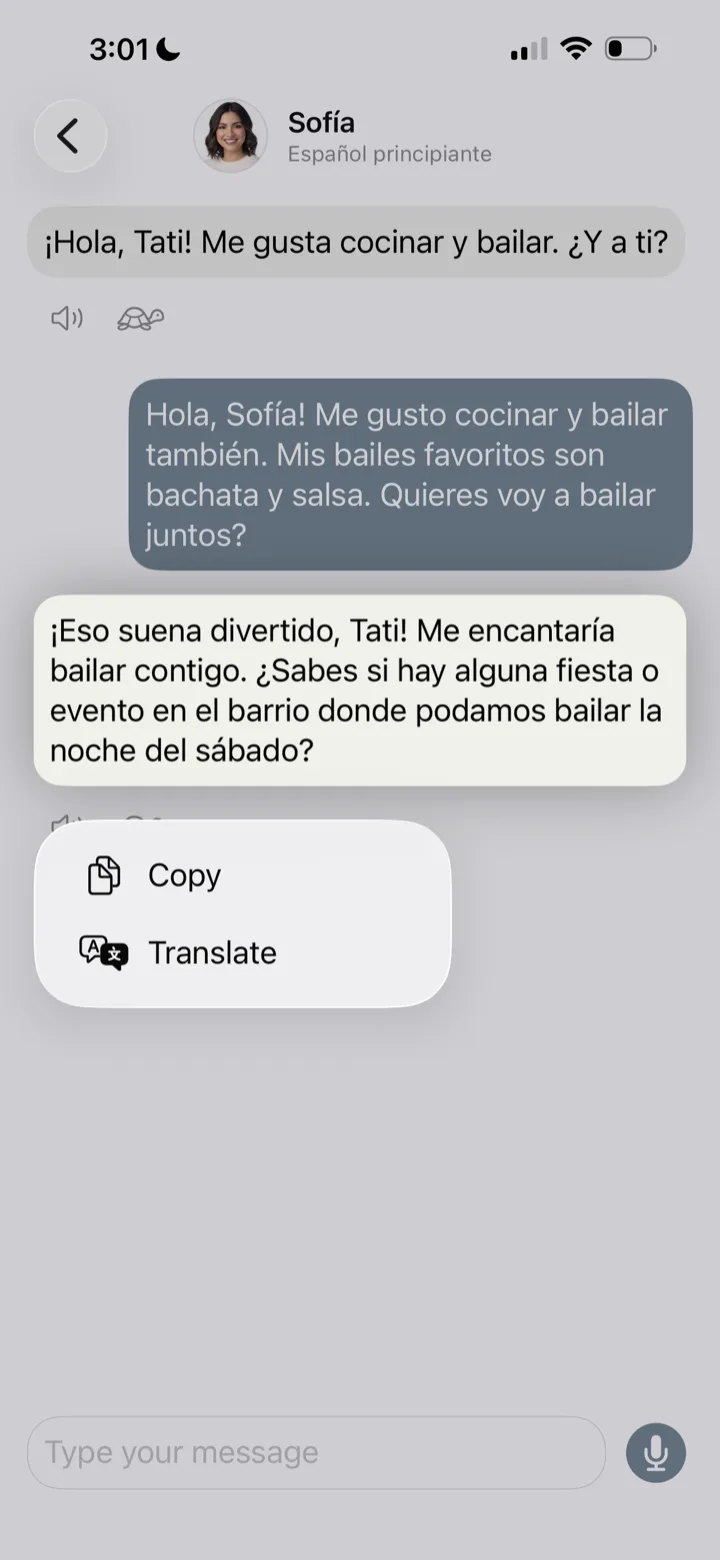
With any partner, you can press and hold a message and tap Translate. Not sure how to say something? Type it in your own language, select it, tap Translate, then Replace with Translation. Translation is available on iPhone and iPad only and works fully offline once you’ve downloaded the languages in Settings > Apps > Translate.
Role-Play
Practice ordering at a café, shopping for clothes or checking in at a hotel with any of your partners. They play the waiter, the salesperson or the receptionist, at your level.
Built for Real-World Confidence
Speak Without Anxiety: Practice everyday conversations, vocabulary, and grammar with empathetic AI personas that feel like real conversation partners. Perfect for language learners looking to bridge the gap between studying and speaking.
100% Judgment-Free Sandbox: Vent about a tough day at work, complain about your boss, or prepare for a conversation you’re nervous about. Razmova provides a completely safe, private space to build communication skills on your own terms.
You Control Your Data: The AI runs on your device, so your conversations are never sent to a cloud chatbot, where they could be stored, read or used for training. They stay on your device, and in your own iCloud backup if you use one. You can delete them at any time. No accounts, no tracking, no ads. Read the Privacy Policy.
What You Need
Razmova needs an iPhone or iPad with iOS 18.6 or later and at least 6 GB of memory (RAM). It checks at first launch and tells you right away, before any download starts. The AI model itself downloads over Wi-Fi. Voice input requires iOS 26 or later.
On devices that support Apple Intelligence, you can switch to it in Razmova’s settings and remove the downloaded model to free up about 1.8 GB. Either way, the AI runs entirely on your device, not on a server in a data center.
Version 1.13.0 ·
Questions and Answers
Is Razmova free?
Yes. No subscription, no in-app purchases, no ads and no account. There is no paid tier and no plan to add one.
Why is Razmova free?
When I immigrated to Canada many years ago, I panicked every time I had to communicate in English, even though I had studied it for years. Many friends tell me they are still afraid to speak English after years of living in Toronto. It is not about how much you study. It is about confidence and practice.
That is why I wanted to build an app that would have helped me then, and I am happy to share it with everyone for free.
Which iPhones and iPads does it work on?
Razmova needs 6 GB of memory or more, iOS or iPadOS 18.6 or later, and about 2 GB of free space. That means iPhone 14 and every newer model, plus iPhone 12 Pro, 12 Pro Max, 13 Pro and 13 Pro Max. On iPad it runs on iPad Pro from 2020 onward, iPad Air with M1 or newer, iPad mini (2024) and iPad (2025). It does not run on iPhone 13, 13 mini, 12, 12 mini, 11 or any iPhone SE, which have too little memory even though they can run iOS 18.6. Razmova checks your device at first launch and tells you before anything downloads.
What needs an internet connection?
Only the downloads: the AI model, the iOS voices for reading replies aloud, and the language pairs for translation. Razmova downloads the model over Wi-Fi, and if Wi-Fi is not available it asks whether to use cellular data instead. The download pauses if you leave Wi-Fi. After that, it works in airplane mode. One exception: translating a message uses Apple’s built-in translation, so if you have not downloaded that language pair in your iOS settings, Apple may translate the text on its servers.
Which languages can I practice?
English, Spanish and French. The app itself is available in English, Spanish, French, Russian and Ukrainian, and the two are separate choices: you can practice English with the app in Ukrainian, or French with the app in Russian.
Does Razmova correct my mistakes or give feedback?
Not unless you ask. Razmova is a place to speak without being judged on every sentence: practice over perfection. When you want feedback, ask your AI partner, for example “Is my English correct?” or “Does that sound natural?” For anything important, like a job application, check with a native speaker too, because AI feedback can be wrong.
Can I speak instead of typing, and can I hear the replies?
Both. Every partner reads replies aloud in a voice that suits them, at normal or slow speed, from iOS 18.6 onward. For speaking, the microphone button needs iOS 26 or later. On earlier versions you can still speak your message using the dictation key on the iOS keyboard.
What happens to my conversations?
They stay on your device and you can delete any of them at any time. Razmova has no account, no server and no analytics, so nothing is sent anywhere to be stored. Like other app data, your conversations are included in your iCloud backup if you use one, and you can exclude Razmova in your iCloud Backup settings. The AI model itself is never backed up.
How much storage does it need?
The app is about 25 MB. The AI model is about 1.8 GB and downloads once, so keep about 2 GB free. You can remove the model in Settings to get that space back, and download it again whenever you want. On devices with Apple Intelligence you can remove it for good and keep practicing with Apple’s built-in model.
How much battery does it use?
In our test, a 15-minute practice session with the downloaded AI model used about 5% of the battery on an iPhone 15 Pro Max.
Which AI model runs on my device?
Llama 3.2 3B, in a 4-bit version sized for phones. On devices with Apple Intelligence you can switch to Apple’s built-in on-device model instead. Razmova also uses that built-in model, where it is available, while the download finishes, so you can start talking right away. Both run entirely on your device.
Does the AI make mistakes?
In English, neither model has made a language mistake in our testing. In Spanish and French, the model occasionally picks an odd word or slips on grammar. That is the trade-off for a model small enough to run on your phone, so that your data stays private. Facts are a different matter: any AI can state something wrong with confidence, large cloud chatbots included, and a small model does so more often. The AI also works offline, so it does not know about recent events. Razmova is for practicing conversation, not for looking things up.
How is this different from a cloud chatbot?
A cloud chatbot sends your conversation to a company’s servers and usually asks you to make an account. Razmova runs the AI on your phone, so your conversations stay with you, it works with no signal, and every reply is written by your phone rather than a server in a data center. It is also built for practice rather than answers: each partner keeps to one level, opens the conversation with a greeting so you never start from a blank page, and reads replies in the clear, steady voices built into iOS. They sound less natural than a cloud voice and are much easier to follow while you are still learning. When you speak, Razmova keeps listening until you tap stop, so you can pause to find a word without being cut off.
How is this different from a language course app?
A course teaches you: lessons, vocabulary, exercises. Razmova is where you use what you learned, in open conversation about whatever you feel like talking about. It works best alongside a course.
Does practicing with AI actually help?
The research so far is encouraging. A 2026 review of 51 studies by Saarela, Gunasekara and Kumarage, published in Discover Computing, found that learners who practiced with AI, most often ChatGPT, improved their language skills, speaking included, and felt more confident and more motivated than learners who studied in other ways. The effects were stronger when people used AI on their own rather than in class, and over longer periods. The studies looked at AI tools in general, not at Razmova, and their results varied widely.
I am a complete beginner. Should I start here?
Razmova works best as practice, so if you are starting from zero, pair it with something that teaches the basics. You can still use it early on: the beginner partners keep to short sentences and an unhurried pace, and you can translate any message you do not understand.
Is it suitable for teenagers?
The App Store rating is 13+. There are no ads, no accounts, and no other users to talk to. Conversations stay on your device, and in your own iCloud backup if you use one.
Is there an Android, Mac or web version?
There is no Android or web version, and no separate Mac app. Razmova is built for iPhone and iPad, and the same app also runs on a Mac with an Apple M1 chip or later and macOS 15.6 or later. Download it from the App Store on your Mac.
Contact Information
For any questions or support-related inquiries, please contact:
Tarnovski Consulting
Email: tatiana@tarnovskiconsulting.com